Blog

How to choose outsourced IT support in Los Angeles, GenCare 2026 guide

IT Company Near Me: A Glendale and Los Angeles Vetting Checklist

June 12, 202610 min read

Type "IT company near me" from an office in Glendale or anywhere in Los Angeles and Google hands you dozens of firms making nearly identical promises. Fast response. Proactive support. Friendly technicians. Every website says the same thing, which means the websites cannot tell you who will actually keep your business running.

What separates a reliable IT company from a mediocre one is rarely the service list. Almost every provider in LA County offers help desk, cybersecurity, cloud, and backup. The difference is how they deliver it: how fast they show up, who answers the phone, whether the same people support you a year from now, and what happens when something breaks at 4:55 on a Friday.

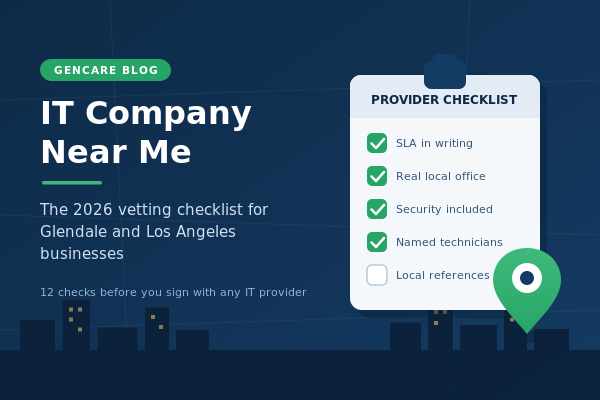
So this is not another roundup of services. It is a vetting checklist. Work through these 12 points with any IT company you are considering in Glendale, Burbank, Pasadena, or greater Los Angeles, and you will know within one meeting whether they can manage your IT or just answer your tickets.

Why "near me" is still worth searching in 2026

Remote tools fixed most of IT support. A good technician can patch servers, reset passwords, and contain a malware infection without leaving their desk. So does proximity still matter?

For a handful of situations, more than ever. Hardware failures, network outages, office moves, new cabling, and security incidents that take your internet down all need a human being on site. When that happens, an IT company based in Glendale can be at a Burbank or downtown LA office within the hour. A provider working out of Orange County quoting "same day" can mean 3 p.m. tomorrow once the 5 and the 101 have their say.

Downtime is the real cost. Industry research consistently puts the price of IT downtime for small and mid-sized businesses in the thousands of dollars per hour, and IBM's annual Cost of a Data Breach research shows that slow response is one of the biggest multipliers of incident cost. Proximity is not nostalgia. It is insurance against the worst hour of your business year.

The 12-point checklist for vetting an IT company near you

1. A response-time commitment in writing

Every provider says "fast." Ask for the number in the contract. What is the guaranteed response time for a critical issue, and what does the company owe you if it misses? A provider that puts 15 minutes on paper is making a promise it has built its operations around. A provider that says "we usually get back to you quickly" has built nothing. GenCare commits to a 15-minute response target across its managed IT services in Glendale, and that single line does more vetting work than an hour of sales conversation.

2. A real local office, not a service-area page

Plenty of national firms run "Los Angeles IT support" pages from out of state. Check the address. Look at the Google Business Profile, the reviews, and where the reviewers are located. A company with an actual office in Glendale or LA has technicians who can drive to you, local references you can call, and a reputation in the same business community you operate in. A service-area page has none of that.

3. Years in business through multiple technology shifts

IT companies that survived the move from on-premise servers to cloud, and from antivirus to managed security, have proven they adapt. Ask when the company was founded and what its longest-running client relationship is. GenCare has supported Los Angeles area businesses since 1986, which means it has been managing technology since before most of its competitors existed and before the web did.

4. Review depth, not just review score

A 5.0 rating with six reviews tells you very little. Look for volume, recency, and specifics: do reviewers mention technicians by name, describe real incidents, and come from identifiable local businesses? BrightLocal's consumer review research shows most buyers read multiple reviews before trusting a business, and B2B buyers should be stricter. Compare review counts across the firms on your shortlist. The gap is usually informative.

5. Security included in the base agreement

If cybersecurity is an add-on, walk away. In 2026 there is no responsible way to manage a business network without endpoint protection, patching, multi-factor authentication, and monitoring as standard. Ask exactly which protections are in the base monthly fee and which cost extra, then compare that against CISA's guidance for small and mid-sized businesses. A serious local provider builds its offer around that baseline. GenCare treats cybersecurity services in Glendale and across Los Angeles as part of managed IT, not a separate product to be sold to you later.

6. Who actually answers: named technicians and turnover

The biggest hidden variable in IT support is staff churn. If a different technician handles every ticket, nobody learns your environment and every issue starts from zero. Ask two questions: will we have named technicians who know our setup, and what is your technician turnover? Ownership structure matters here. GenCare is employee-owned, which is one practical reason its technicians stay and your institutional knowledge stays with them.

7. Plain-language reporting and a real technology roadmap

Managing IT means more than closing tickets. A reliable IT company reviews your technology with you on a schedule: what is aging, what is at risk, what to budget for next year. Ask to see a sample quarterly report. If it is a wall of jargon, that is how they will talk to you for the life of the contract. If they cannot produce one, they do not do this work at all.

8. A pricing model you can predict

Flat-rate per-user pricing aligns the provider's incentives with yours: they make money when things do not break. Hourly billing rewards the opposite. Whichever model you choose, the test is predictability. Can the company tell you, in one page, what you will pay monthly and what triggers an extra charge? Vague pricing now becomes invoice arguments later.

9. A documented onboarding and a clean exit

Good providers have a written onboarding plan: documentation of your network, credential audits, and a 30-60-90 day schedule. Just as important, ask what happens if you leave. Who owns your passwords, your documentation, your licenses? A confident IT company makes leaving easy, because it expects you to stay for the service, not the lock-in. GenCare's no-overlap switching process means your outsourced IT support in Glendale starts without paying two providers at once.

10. Experience in your industry

A law firm has confidentiality and litigation-hold requirements. A nonprofit has grant-driven budgets and donated hardware. A manufacturer has shop-floor machines that cannot go down mid-run. Ask for clients in your industry and what compliance frameworks they support. GenCare's longest client relationships are in exactly these areas: legal, nonprofit, and manufacturing businesses across Glendale and Los Angeles.

11. Local references you can actually call

Ask for two or three current clients in the area, of a similar size to you, and call them. Ask one question above all: tell me about the last time something went badly wrong. Every provider has outages and mistakes. The reference's answer tells you how this one behaves when it counts, which no proposal ever will.

12. Accountability when they fall short

The final filter is what the company puts at stake. Penalties for missed SLAs, money-back terms, or a written guarantee all signal that the provider absorbs the risk of its own performance instead of passing it to you. GenCare backs its work with a 111% money-back guarantee, which is the kind of term a company only offers when it almost never has to pay it.

Five red flags that end the conversation

A few things should disqualify a provider immediately, no matter how good the pitch:

  1. No written SLA, or reluctance to share one before signing.

  2. Cybersecurity quoted as an optional extra on top of "support."

  3. No local address, or a Google profile with reviews from another state.

  4. Long-term contracts with punitive exit fees but no performance penalties on their side.

  5. They cannot name a single client in your industry or your part of LA County.

Glendale or Los Angeles: does it matter where the company sits?

If your business is in Glendale, Burbank, Pasadena, or northeast LA, a Glendale-based IT company is a practical advantage: shorter drive times for on-site work and a team that knows the local business community. If you are in downtown LA, the west side, or the Valley, what matters is coverage, not the mailing address. Ask where their technicians are based and what their realistic on-site time is for your office.

GenCare is headquartered in Glendale and supports clients across greater Los Angeles, with managed IT services for Los Angeles businesses and outsourced IT support across LA. The full coverage map is on the areas we serve page. For a deeper look at how outsourcing compares to hiring internally, the complete guide to outsourced IT support for Los Angeles businesses walks through costs and trade-offs in detail.

Frequently asked questions

How do I find a reliable IT company near me in Glendale or Los Angeles?

Start with the checklist above rather than the ads. Shortlist two or three firms with a real local office, deep reviews, and a written response-time commitment, then ask each for local references and a sample quarterly report. One meeting per firm is usually enough to see the difference.

What should a small business expect to pay an IT company in the LA area?

Most managed IT agreements in greater Los Angeles are priced per user per month, with the rate depending on how much security, compliance, and on-site coverage is included. Be cautious comparing on price alone: a cheap agreement that excludes security baseline items costs more after the first incident.

Is a local IT company better than a national provider?

For most small and mid-sized businesses, yes. A local firm can put a technician in your office quickly, knows the regional business community, and is accountable to its local reputation. National providers can make sense for companies with offices in many states, but single-market businesses in Glendale and LA rarely benefit from the trade-off.

What is the difference between an IT company and an MSP?

An MSP, or managed service provider, is an IT company that manages your technology proactively for a flat monthly fee instead of billing you to fix things after they break. Most reliable local IT companies operate this way today. GenCare's MSP services in Glendale page explains how the managed model works in practice.

How fast should an IT company respond to a problem?

For critical issues, a written commitment of 15 to 30 minutes is a strong standard in the LA market. Anything over an hour for a business-down situation should give you pause. The key word is written: a response target in the contract is a commitment, a verbal one is marketing.

Should my IT company handle cybersecurity too?

Yes, and it should be built into the base agreement. Splitting day-to-day IT and security between vendors creates gaps that attackers find. Confirm your provider includes endpoint protection, patching, multi-factor authentication, email security, and monitoring as standard, and ask how they handle incident response.

What questions should I ask in the first meeting with an IT company?

Five carry the most weight: What is your guaranteed response time and what happens if you miss it? Who exactly will support us, and how long have they been with you? What does your onboarding plan look like? What do you include for security in the base fee? Can I speak with two current clients near us?

The shortest version of this checklist

A reliable IT company near you will put its response time in writing, include security by default, give you named technicians who stick around, and hand over references without flinching. Everything else is detail.

GenCare has been doing exactly that for Glendale and Los Angeles businesses since 1986, employee-owned, with a 15-minute response target and an 111% guarantee behind it. If your current provider would not survive this checklist, start the conversation and run GenCare through it instead.

IT company near me Glendale Los Angeles
Jeff Baker

Jeff Baker

Jeff is the Sales VP for GenCare, an IT Managed Service Provider for businesses with 25-300 employees in LA. As the Sales VP, he works from the existing systems to build strategic IT plans that include core systems like email, servers, computers, and firewalls. Those plans include security, support, and budgets. They're brought to life by the capable team of 18+ GenCare engineers, delivering for clients in the manufacturing, non-profit, healthcare, and legal sectors. Jeff earned his bachelor's degree in History from UC Berkeley. He has been in the IT industry since 2012. Outside of work, he enjoys coaching a youth basketball team, meeting new people at Cars & Coffee events, and playing guitar. He lives in Glendale with his dog, Bonnie.

Back to Blog

Want To See How Simple IT Can Be?

  1. Schedule a 15-minute call to tell us about your business.

  2. Find out if we're the right fit for you.

  3. Decide if you want to work with us.

We Can Help

Call us at (855) 634-5557 or or fill out the form below.

Featured Posts

How to choose outsourced IT support in Los Angeles, GenCare 2026 guide

IT Company Near Me: A Glendale and Los Angeles Vetting Checklist

June 12, 202610 min read

Type "IT company near me" from an office in Glendale or anywhere in Los Angeles and Google hands you dozens of firms making nearly identical promises. Fast response. Proactive support. Friendly technicians. Every website says the same thing, which means the websites cannot tell you who will actually keep your business running.

What separates a reliable IT company from a mediocre one is rarely the service list. Almost every provider in LA County offers help desk, cybersecurity, cloud, and backup. The difference is how they deliver it: how fast they show up, who answers the phone, whether the same people support you a year from now, and what happens when something breaks at 4:55 on a Friday.

So this is not another roundup of services. It is a vetting checklist. Work through these 12 points with any IT company you are considering in Glendale, Burbank, Pasadena, or greater Los Angeles, and you will know within one meeting whether they can manage your IT or just answer your tickets.

Why "near me" is still worth searching in 2026

Remote tools fixed most of IT support. A good technician can patch servers, reset passwords, and contain a malware infection without leaving their desk. So does proximity still matter?

For a handful of situations, more than ever. Hardware failures, network outages, office moves, new cabling, and security incidents that take your internet down all need a human being on site. When that happens, an IT company based in Glendale can be at a Burbank or downtown LA office within the hour. A provider working out of Orange County quoting "same day" can mean 3 p.m. tomorrow once the 5 and the 101 have their say.

Downtime is the real cost. Industry research consistently puts the price of IT downtime for small and mid-sized businesses in the thousands of dollars per hour, and IBM's annual Cost of a Data Breach research shows that slow response is one of the biggest multipliers of incident cost. Proximity is not nostalgia. It is insurance against the worst hour of your business year.

The 12-point checklist for vetting an IT company near you

1. A response-time commitment in writing

Every provider says "fast." Ask for the number in the contract. What is the guaranteed response time for a critical issue, and what does the company owe you if it misses? A provider that puts 15 minutes on paper is making a promise it has built its operations around. A provider that says "we usually get back to you quickly" has built nothing. GenCare commits to a 15-minute response target across its managed IT services in Glendale, and that single line does more vetting work than an hour of sales conversation.

2. A real local office, not a service-area page

Plenty of national firms run "Los Angeles IT support" pages from out of state. Check the address. Look at the Google Business Profile, the reviews, and where the reviewers are located. A company with an actual office in Glendale or LA has technicians who can drive to you, local references you can call, and a reputation in the same business community you operate in. A service-area page has none of that.

3. Years in business through multiple technology shifts

IT companies that survived the move from on-premise servers to cloud, and from antivirus to managed security, have proven they adapt. Ask when the company was founded and what its longest-running client relationship is. GenCare has supported Los Angeles area businesses since 1986, which means it has been managing technology since before most of its competitors existed and before the web did.

4. Review depth, not just review score

A 5.0 rating with six reviews tells you very little. Look for volume, recency, and specifics: do reviewers mention technicians by name, describe real incidents, and come from identifiable local businesses? BrightLocal's consumer review research shows most buyers read multiple reviews before trusting a business, and B2B buyers should be stricter. Compare review counts across the firms on your shortlist. The gap is usually informative.

5. Security included in the base agreement

If cybersecurity is an add-on, walk away. In 2026 there is no responsible way to manage a business network without endpoint protection, patching, multi-factor authentication, and monitoring as standard. Ask exactly which protections are in the base monthly fee and which cost extra, then compare that against CISA's guidance for small and mid-sized businesses. A serious local provider builds its offer around that baseline. GenCare treats cybersecurity services in Glendale and across Los Angeles as part of managed IT, not a separate product to be sold to you later.

6. Who actually answers: named technicians and turnover

The biggest hidden variable in IT support is staff churn. If a different technician handles every ticket, nobody learns your environment and every issue starts from zero. Ask two questions: will we have named technicians who know our setup, and what is your technician turnover? Ownership structure matters here. GenCare is employee-owned, which is one practical reason its technicians stay and your institutional knowledge stays with them.

7. Plain-language reporting and a real technology roadmap

Managing IT means more than closing tickets. A reliable IT company reviews your technology with you on a schedule: what is aging, what is at risk, what to budget for next year. Ask to see a sample quarterly report. If it is a wall of jargon, that is how they will talk to you for the life of the contract. If they cannot produce one, they do not do this work at all.

8. A pricing model you can predict

Flat-rate per-user pricing aligns the provider's incentives with yours: they make money when things do not break. Hourly billing rewards the opposite. Whichever model you choose, the test is predictability. Can the company tell you, in one page, what you will pay monthly and what triggers an extra charge? Vague pricing now becomes invoice arguments later.

9. A documented onboarding and a clean exit

Good providers have a written onboarding plan: documentation of your network, credential audits, and a 30-60-90 day schedule. Just as important, ask what happens if you leave. Who owns your passwords, your documentation, your licenses? A confident IT company makes leaving easy, because it expects you to stay for the service, not the lock-in. GenCare's no-overlap switching process means your outsourced IT support in Glendale starts without paying two providers at once.

10. Experience in your industry

A law firm has confidentiality and litigation-hold requirements. A nonprofit has grant-driven budgets and donated hardware. A manufacturer has shop-floor machines that cannot go down mid-run. Ask for clients in your industry and what compliance frameworks they support. GenCare's longest client relationships are in exactly these areas: legal, nonprofit, and manufacturing businesses across Glendale and Los Angeles.

11. Local references you can actually call

Ask for two or three current clients in the area, of a similar size to you, and call them. Ask one question above all: tell me about the last time something went badly wrong. Every provider has outages and mistakes. The reference's answer tells you how this one behaves when it counts, which no proposal ever will.

12. Accountability when they fall short

The final filter is what the company puts at stake. Penalties for missed SLAs, money-back terms, or a written guarantee all signal that the provider absorbs the risk of its own performance instead of passing it to you. GenCare backs its work with a 111% money-back guarantee, which is the kind of term a company only offers when it almost never has to pay it.

Five red flags that end the conversation

A few things should disqualify a provider immediately, no matter how good the pitch:

  1. No written SLA, or reluctance to share one before signing.

  2. Cybersecurity quoted as an optional extra on top of "support."

  3. No local address, or a Google profile with reviews from another state.

  4. Long-term contracts with punitive exit fees but no performance penalties on their side.

  5. They cannot name a single client in your industry or your part of LA County.

Glendale or Los Angeles: does it matter where the company sits?

If your business is in Glendale, Burbank, Pasadena, or northeast LA, a Glendale-based IT company is a practical advantage: shorter drive times for on-site work and a team that knows the local business community. If you are in downtown LA, the west side, or the Valley, what matters is coverage, not the mailing address. Ask where their technicians are based and what their realistic on-site time is for your office.

GenCare is headquartered in Glendale and supports clients across greater Los Angeles, with managed IT services for Los Angeles businesses and outsourced IT support across LA. The full coverage map is on the areas we serve page. For a deeper look at how outsourcing compares to hiring internally, the complete guide to outsourced IT support for Los Angeles businesses walks through costs and trade-offs in detail.

Frequently asked questions

How do I find a reliable IT company near me in Glendale or Los Angeles?

Start with the checklist above rather than the ads. Shortlist two or three firms with a real local office, deep reviews, and a written response-time commitment, then ask each for local references and a sample quarterly report. One meeting per firm is usually enough to see the difference.

What should a small business expect to pay an IT company in the LA area?

Most managed IT agreements in greater Los Angeles are priced per user per month, with the rate depending on how much security, compliance, and on-site coverage is included. Be cautious comparing on price alone: a cheap agreement that excludes security baseline items costs more after the first incident.

Is a local IT company better than a national provider?

For most small and mid-sized businesses, yes. A local firm can put a technician in your office quickly, knows the regional business community, and is accountable to its local reputation. National providers can make sense for companies with offices in many states, but single-market businesses in Glendale and LA rarely benefit from the trade-off.

What is the difference between an IT company and an MSP?

An MSP, or managed service provider, is an IT company that manages your technology proactively for a flat monthly fee instead of billing you to fix things after they break. Most reliable local IT companies operate this way today. GenCare's MSP services in Glendale page explains how the managed model works in practice.

How fast should an IT company respond to a problem?

For critical issues, a written commitment of 15 to 30 minutes is a strong standard in the LA market. Anything over an hour for a business-down situation should give you pause. The key word is written: a response target in the contract is a commitment, a verbal one is marketing.

Should my IT company handle cybersecurity too?

Yes, and it should be built into the base agreement. Splitting day-to-day IT and security between vendors creates gaps that attackers find. Confirm your provider includes endpoint protection, patching, multi-factor authentication, email security, and monitoring as standard, and ask how they handle incident response.

What questions should I ask in the first meeting with an IT company?

Five carry the most weight: What is your guaranteed response time and what happens if you miss it? Who exactly will support us, and how long have they been with you? What does your onboarding plan look like? What do you include for security in the base fee? Can I speak with two current clients near us?

The shortest version of this checklist

A reliable IT company near you will put its response time in writing, include security by default, give you named technicians who stick around, and hand over references without flinching. Everything else is detail.

GenCare has been doing exactly that for Glendale and Los Angeles businesses since 1986, employee-owned, with a 15-minute response target and an 111% guarantee behind it. If your current provider would not survive this checklist, start the conversation and run GenCare through it instead.

IT company near me Glendale Los Angeles
Jeff Baker

Jeff Baker

Jeff is the Sales VP for GenCare, an IT Managed Service Provider for businesses with 25-300 employees in LA. As the Sales VP, he works from the existing systems to build strategic IT plans that include core systems like email, servers, computers, and firewalls. Those plans include security, support, and budgets. They're brought to life by the capable team of 18+ GenCare engineers, delivering for clients in the manufacturing, non-profit, healthcare, and legal sectors. Jeff earned his bachelor's degree in History from UC Berkeley. He has been in the IT industry since 2012. Outside of work, he enjoys coaching a youth basketball team, meeting new people at Cars & Coffee events, and playing guitar. He lives in Glendale with his dog, Bonnie.

Back to Blog

Enroll in Our Email Course

Learn How a No-Nonsense IT Strategy Benefits Your ComBullet listpany:
  • Strategies to allocate your IT budget efficiently

  • Enhance cybersecurity defenses on a bButtonudget

  • Ensure your technology investments continue to serve your business as it grows